


iPhone and Android. Push notifications and the Live Activity are iPhone only.
The grid is libghostty, Ghostty's terminal core, so what runs on the server looks as it does on your Mac. Shepherd connects over SSH or mosh, and reconnects on its own when you come back to the app.
SSH, or mosh for flaky networks and sleeping phones. Under mosh, typing echoes locally when the server is slow to answer.
When the host has no mosh-server, Shepherd offers to install one: a pinned static build, checked by SHA-256, into ~/.mochi on that host. No root, no package manager.
A message field above the keyboard for agents in the terminal: edit the whole prompt, then send it. Settings → Chat input turns it on.
Speak a prompt instead of typing it. On iPhone, Whisper runs local models fully offline, or Apple's on-device recogniser on iOS 26; Android uses the system recogniser.
Pick a photo or paste an image: Shepherd uploads it to /tmp on the server over SFTP and types its path in, so Claude Code can read it. Over SSH; not over mosh yet.
Passwords and private keys stay in the Keychain, a key can ask for Face ID each time it is used, and host keys are pinned. Shortcuts send a command in one tap. The app takes its colours from the terminal theme.
Connect to a host that runs herdr and Shepherd shows it as an app, not a shrunk TUI: workspaces grouped by repo, every agent with its status and how long it has waited, and a tab's panes laid out as on the Mac, each a live terminal.
Layout edits are herdr's own, shared with the Mac: drag a divider, move a pane onto another or onto a tab, zoom one. The Terminal view in the ⋯ menu still opens herdr's TUI.


Agents are listed as working, blocked, done or idle, with the time since their status changed. Tap one to open its pane.
When another client already controls a pane, Shepherd watches it read-only, scaled to fit. "Take over" hands control to the phone, and only when you ask.
A small herdr plugin on the host, installed by Shepherd when you agree, tells the phone when an agent starts waiting or finishes. Tap the notification and Shepherd opens that agent's pane.
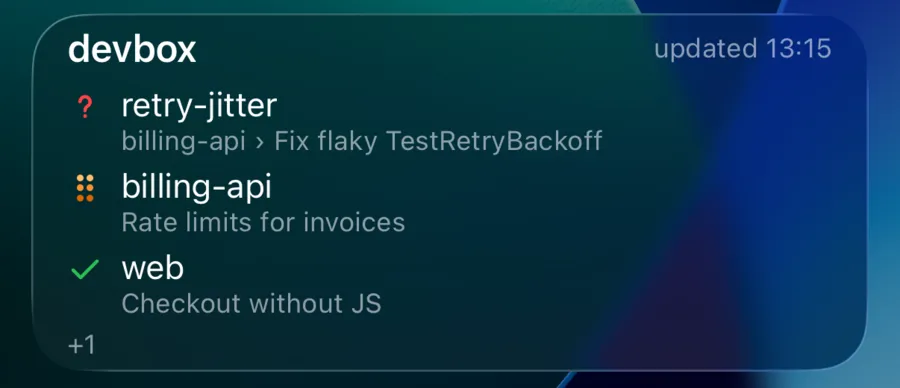
A Live Activity counts the host's agents by status and shows three of them, updated by push while the phone is locked. Swipe it away and it stays away until you connect again.
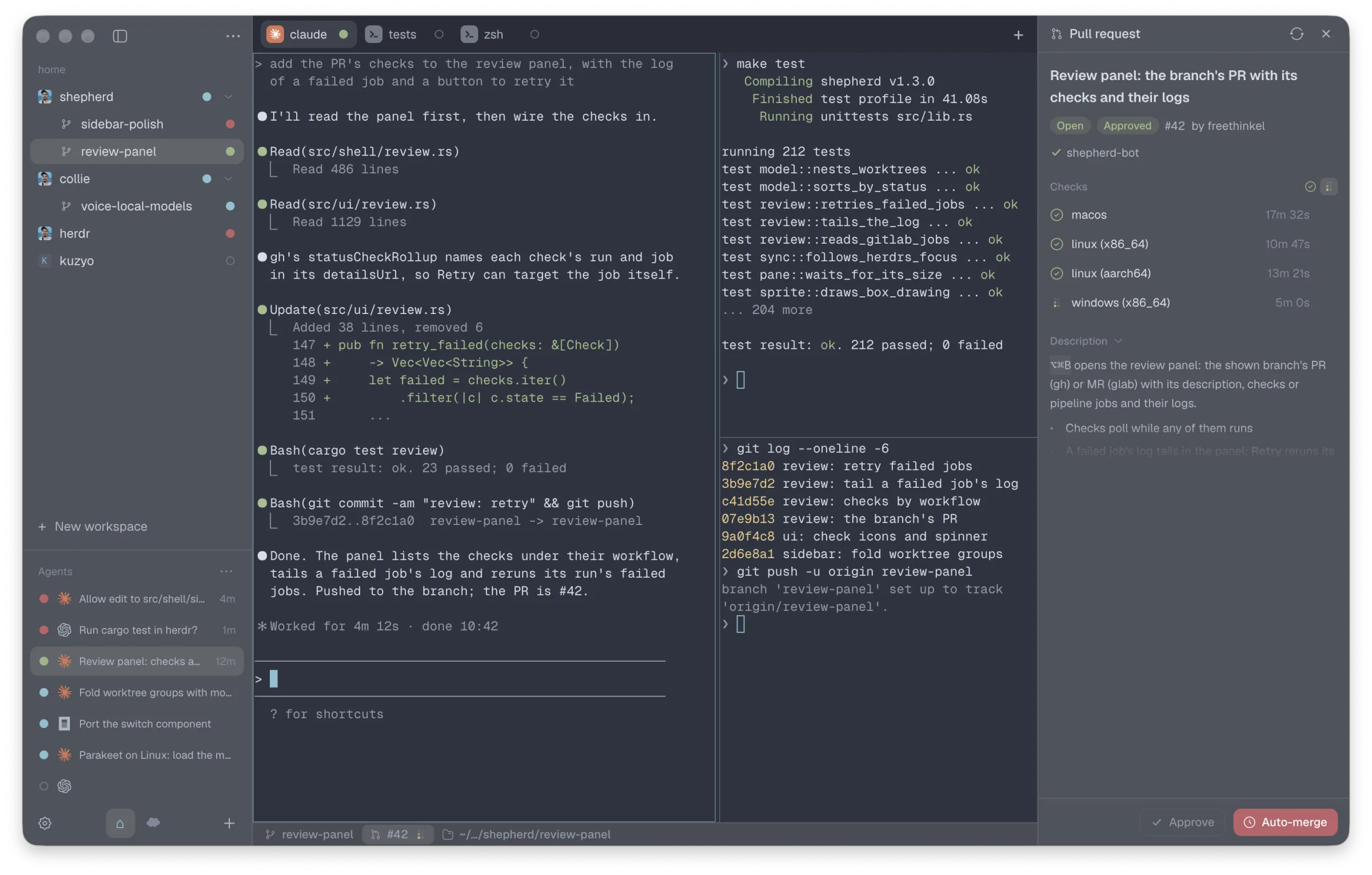
Shepherd on the desktop is a native window for herdr: a sidebar with every workspace and its worktrees, real tabs and panes, the agents list, and the branch's pull request with its checks. Approve an agent from the notification without opening the app.
It talks to the same herdr session as the phone, so both show the same agents. Open source, MIT.
Your terminal goes straight from the phone to your server; Shepherd has no server in that path. Pushes and the Live Activity are the exception: Apple delivers them, so the herdr plugin sends herdr's agent list to Shepherd's relay at mochi.freethinkel.dev, which signs the push for Apple.
The relay holds the phone's APNs tokens under a random device id; the host only ever knows that id. From each agent list it keeps the counts and up to three agents, their workspace and title, and drops the rest: paths and session ids. Nothing from a push is stored. Without the plugin, the relay has only the phone's tokens.
The app also counts which features get used, through Aptabase's EU servers. Each event is a name, a time, the OS and its version, the phone's language and region, the app's version and a random session id, new after an hour of quiet or a restart. The events: the app started; you opened a connection (SSH or mosh; shell, herdr or tmux); a herdr tab opened or created, a workspace or worktree created or removed, a pane zoomed, a notification opened; voice input (hold or sheet); a chat input send (how many attachments); a shortcut fired. No hosts, connection names, paths, commands or typed text, and no id that outlives the session.
The same terminal and herdr view on both. Push notifications and the Live Activity need an iPhone.
Everything on this page, including notifications when an agent is blocked or done and the Live Activity on the lock screen.
The terminal, chat input, voice and the herdr view. No pushes or Live Activity. arm64 phones. Android asks once to allow installs from your browser; a new version is a new download, there are no automatic updates.
The herdr view and notifications need herdr on the server. Without it Shepherd is a plain SSH and mosh terminal.
From the lock screen, the notification, or the pane itself. Shepherd is a terminal first, and herdr's window when you're away from the Mac.